





Neighbourly New Year Tip #3 - Find your filters
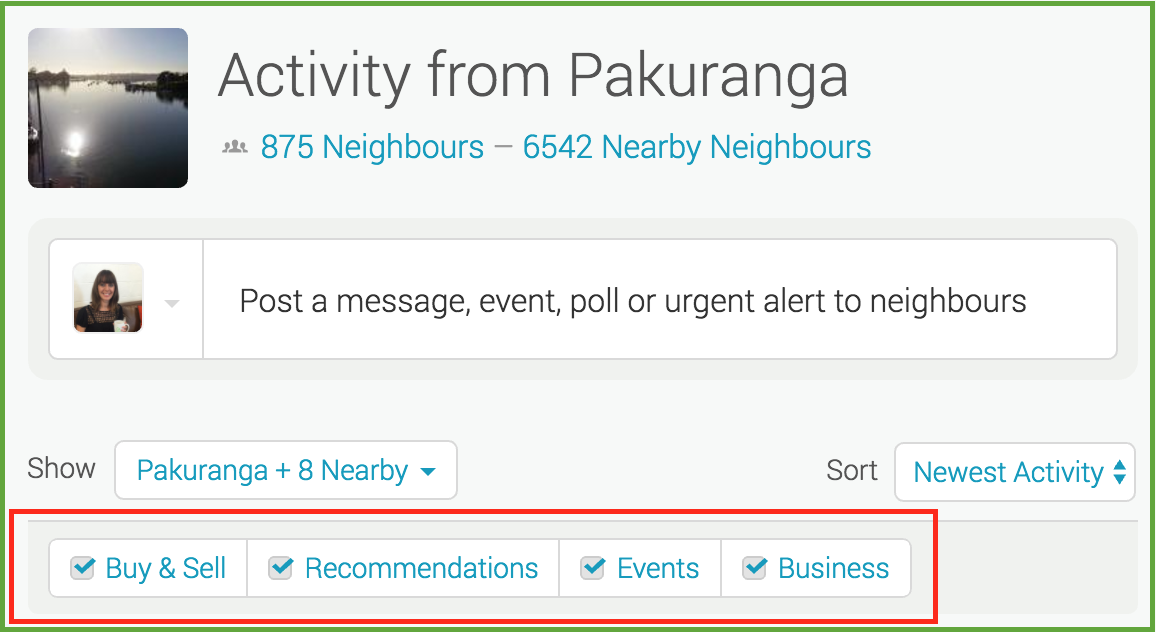
Filters allow you to manage what you see on your Neighbourly noticeboard. Perhaps you want to hide Buy & Sell messages - or maybe that's all you want to see! You'll find four filters at the top of your noticeboard: Recommendations, Buy & Sell, Events and Business. You can toggle these on and off to customise your Neighbourly experience.
While you're there - have a play with the 'Sort' filter. This is a drop down menu allowing you to switch between newest posts and newest activity (replies).

Brain Teaser of the Day 🧠✨ Can You Solve It? 🤔💬
Make a hearty dish. Take just half a minute. Add four parts of kestrel. Then just add one. What have you made?
(Trev from Silverdale kindly provided this head-scratcher ... thanks, Trev!)
Do you think you know the answer? Simply 'Like' this post and we'll post the answer in the comments below at 2pm on the day!
Want to stop seeing these in your newsfeed? No worries! Simply head here and click once on the Following button.

Poll: Should the government levy industries that contribute to financial hardship?
As reported in the Post, there’s a $30 million funding gap in financial mentoring. This has led to services closing and mentors stepping in unpaid just to keep helping people in need 🪙💰🪙
One proposed solution? Small levies on industries that profit from financial hardship — like banks, casinos, and similar companies.
So we want to hear what you think:
Should the government ask these industries to contribute?

-
59.5% Yes, supporting people is important!
-
26.2% No, individuals should take responsibility
-
14.4% ... It is complicated

Fundraining for Bowl Cancer
Hi,
This February, I am taking part in Move your Butt for Bowel Cancer and will be conquering 200km for the 100 Kiwis who die from bowel cancer every month.
My goal is to raise funds for Bowel Cancer NZ to support patients, raise awareness and fund research to beat bowel cancer.
Please sponsor my challenge and support my efforts to save Kiwi lives.
To make a donation, simply visit my personal fundraising page below:
www.moveyourbutt.org.nz...
Thanks so much for your support.
Roydon
 Loading…