





Your hard drive is (basically) spinning rust
As I write this on my 10" laptop, my desktop computer is packing a sad. Suddenly the hard drive failed to write a few things to disk, and as it rebooted I saw the all-too-familiar screed of errors indicating imminent failure or data loss. I immediately stopped and took time to backup my existing data to an external drive before more damage occurred. The fact that I didn't have all of my data regularly backed-up speaks volumes about my own hypocrisy; I regularly prompt clients to back up their data. Why? Because hard drives have lifespans and you don't know how long they are.
Often referred to in the tech industry as 'spinning rust' hard drives, magnetic hard drives have been the main storage devices inside modern computers for 3 decades. They work well, last a reasonably long time and are relatively reliable. But even so, 10% of all hard drives fail within the first 3 years of use, 20% within the first 4 years, while most fail after 6 years of use (source: Backblaze, an online data warehouse). For some it seems inconceivable that these devices which we rely upon so much could spontaneously decide to die.
But they do, and so you need to have your data in more than one place; ideally at all times. When I say data, I mean whatever documents, photos, etcetera that you have which are not stored online in some form, and that you would be at a loss without. The simplest solution is to buy an external drive (either a USB thumb drive or something a little larger depending on how much data you've got) and copy your important data to that. You can do that manually, or most operating systems (eg. Windows or MacOS) have built-in backup solutions which work pretty effectively.
You might think that a new storage mechanism will come along and solve this problem indefinitely. Unfortunately not: solid state hard drives, for example, are quicker but less reliable. The closest we've come to that goal is tape, but tape drives are expensive, and uncommon as a result. An external drive that is not plugged into the computer for most of the time will have a pretty good lifespan, provided you don't drop it or decide to feed it icecream someday. I have hard drives which're still going after 10 years - but they are the minority.
There's also some concept that with the internet 'your data is forever' and so we can stop worrying about losing things. That's not really true; the lifetime of your data online is the lifetime of the company which stores it. And if there's anything which the early 2000's dot-com crash taught us it's that no online company is insoluble. So don't rely on Facebook being around in 15 years time (even though it probably will be) to store your photos.
If there's something important to you, in the physical world as well as the virtual world, you need to take care of it. The procedure for doing that in the virtual world is to create copies. I'm not sure how well that works in the physical world, but I'll get back to you once the prototype cloning machine in my shed gets a council permit.
- Matt Bentley is a computer repair expert with Waikato Home PC Support.
Email info@homepcsupport.co.nz or phone 0211348576. www.homepcsupport.co.nz...


Share your favourite main crop potato recipe and win a copy of our mag!
Love potatoes? We will give away free copies of the May 2026 issue to readers whose potato recipes are used in our magazine. To be in the running, make sure you email your family's favourite way to enjoy potatoes: mailbox@nzgardener.co.nz, by March 1, 2026.


🧩😏 Riddle me this, Neighbours…
I am an odd number. Take away a letter and I become even. What number am I?
Do you think you know the answer?
Want to stop seeing these in your newsfeed? No worries! Simply head here and click once on the Following button.

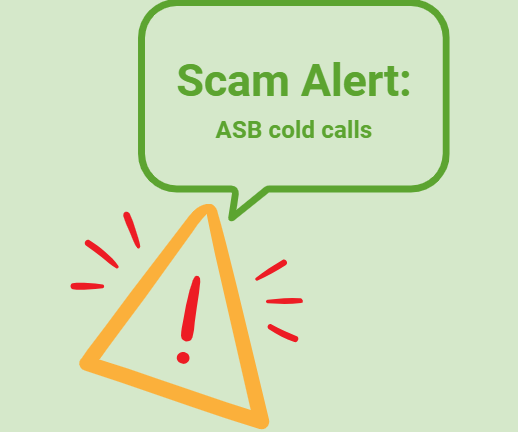
Scam Alert: Bank cold calls
ASB is warning customers about reports of cold calls from scammers claiming to be from ASB. These scammers are trying to obtain personal information, including usernames, dates of birth, and verification codes sent to your mobile phone.
🛡️ The "Caller Check" Test
If you get a call from someone claiming to be from ASB and you’re unsure, just ask them for a Caller Check. You will then be able to verify the call through the app.
Remember, banks will:
❌ Never ask for your banking passwords, PINs, or verification codes
❌ Never need to know your full credit card number – especially the CVC
❌ Never ask you to download software or remotely access your device
❌ Never ask you to purchase gift cards or transfer funds.
If you have received a phone call and think your account has been compromised, call ASB on 0800 ASB FRAUD (0800 272 372), or visit your local branch.
 Loading…