






Technology Course for Seniors in Browns Bay - How to Use Your Phone
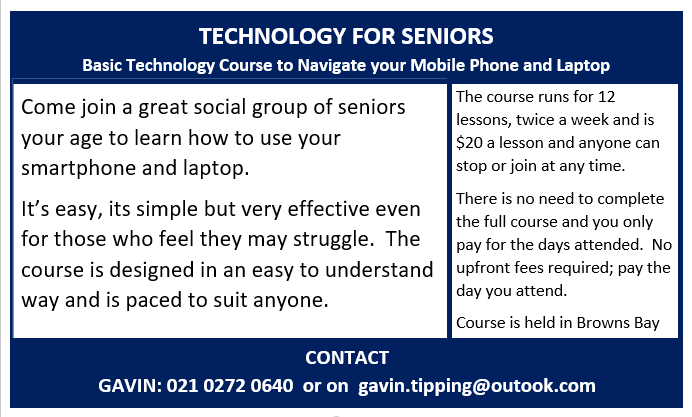
Congratulations on our Senior folks who graduated last week on the Technology Course for Seniors Module 1.
A basic but valuable course for those that find their mobile phones intimidating and the technology frightening.
It was a wonderful opportunity to see them grow in their understanding of how to use their smartphones, and laptops to navigate the Apps and Photos, to become confident and by the end of the course fluent with their phones.
Take a look at some of their comments and how they felt about the course and how they overcame their initial fear of using their phones during the course below:
Elaine (Aged 68)
'"The course was an uncomplicated and practical introduction on how to navigate my smartphone and laptop. Gavin taught me how to maximise my smartphone and to download Apps for my phone, like: WhatsApp, Google Photos, Zoom and more. Every lesson was accompanied by detailed notes. This is a course for everyone regardless of ability and I completed the course feeling more confident and with a desire to still learn more. Thanks Gavin!"
Frank (Aged 70)
"Gavin is able to communicate his knowledge of IT with us "Oldies" in a simplified manner that we can understand and at a pace that takes the course attendees along for the journey. Those that may find it a bit difficult get extra attention. No note taking during the course is necessary as Gavin provides comprehensive notes via email after each lesson. We do a lot of our learning by "Hands On" ourselves with his supervision to guide us. All in all a very worthwhile course."
Trish (Aged 74)
"This course covered all the basic areas for the use of a smartphone, tablets and laptops. We learnt how to use Apps on our smartphones, the technology and technical terminologies related to our devices. There is ample time to ask questionsand get help if you need it. I would recommend this course to anyone needing help to learn the basics of how to use their smartphone, tablet or laptop."
...........
So if you feeling the same, dont let that get in your way as you will easily overcome this. Age is not a barrier, it's easy to learn to use your phone along with others like you.
Our next intake is next week, so why not contact me to put your name down and enjoy the relaxed atmosphere in my home with a classroom style set up for the course with other likeminded folks.
Here is what the course covers:
- Device Basics - Mobile Operating Systems AND Navigating the Smartphone and the iPhone (Buttons, slots and Screens)
- Setting up Passwords for Smartphone Apps AND Smartphone/Google ID & Apple ID Setup
- What is an Application (App)
- How to download Apps and practice Sessions on Zoom, WhatsApp
- How to take a Screenshot & how to use OneNote
- Your Smartphone Settings, Device Basics, Passwords/PINS
- Cloud Storage, Bluetooth, Internet, Contacts & Photos (Google Photos) - Navigating Your Laptop/Tablet
- Understanding functions of your PC and what they do
- Navigating PC Desktop, Terminology and how to Navigate the Internet
- File Explorer, Folders and Document Folders
- Introduction to Microsoft Word and Excel Basics
.......................
Private one-on-one lessons are also available at an additional cost.
Contact me on mobile: 021 0272 0640 or via email Gavin.tipping@outlook.com

Some Choice News!
DOC is rolling out a new tool to help figure out what to tackle first when it comes to protecting our threatened species and the things putting them at risk.
Why does this matter? As Nikki Macdonald from The Post points out, we’re a country with around 4,400 threatened species. With limited time and funding, conservation has always meant making tough calls about what gets attention first.
For the first time, DOC has put real numbers around what it would take to do everything needed to properly safeguard our unique natural environment. The new BioInvest tool shows the scale of the challenge: 310,177 actions across 28,007 sites.
Now that we can see the full picture, it brings the big question into focus: how much do we, as Kiwis, truly value protecting nature — and what are we prepared to invest to make it happen?
We hope this brings a smile!


Resin Workshop - Sat 14th March - Browns Bay
Details & bookings: resinworx.co.nz...
Join one of our Resinworx Workshops and dive into the amazing world of resin creativity! Catch the Early Bird Price!
# All materials supplied
# Create cheeseboards and more
# Multiple project options to choose from
# Perfect for beginners and anyone wanting to truly understand resin so you can confidently continue at home
# Enjoy a discounted first order with Resin and More NZ
You’ll learn everything you need to know, working with glitters, metallic powders, pastes, and tints, using a high-quality product. If you want a solid foundation in resin for future projects, this is the session for you.
Special discount for previous Resinworx participants (contact Philip)
Images shown are examples from previous participants’ creations.



Have you got New Zealand's best shed? Show us and win!
Once again, Resene and NZ Gardener are on the hunt for New Zealand’s best shed! Send in the photos and the stories behind your man caves, she sheds, clever upcycled spaces, potty potting sheds and colourful chicken coops. The Resene Shed of the Year 2026 winner receives $1000 Resene ColorShop voucher, a $908 large Vegepod Starter Pack and a one-year subscription to NZ Gardener. To enter, tell us in writing (no more than 500 words) why your garden shed is New Zealand’s best, and send up to five high-quality photos by email to mailbox@nzgardener.co.nz. Entries close February 23, 2026.

 Loading…