






Basic Technology Course for Seniors (1st Lesson Free then $20+Gst)
Basic Technology Course for 60+
Most of my career I have been working with and in blue chip technology companies. As an IT Program Manager, encountering so many diverse technologies can be overwhelming but as one learns to take one step at a time, a person becomes used to the new technology and we then embrace its benefits and become a real fan for what it can do.
In my social group I am in regular contact with those older than myself who are bright, engaging and active. However when it comes to their iPad, tablet, laptop or smartphone these devices can seem very overwhelming and a sense of pain crosses over their eyes as these devices hold so much promise for them but can be such a massive wall to climb just to do the basics.
So I would like to offer an 8-lesson basic tech course to help Mom and Dad or Grandma and Grandpa to grasp the basics of their own technology. The idea of these classes is for each one to bring to class their preferred technology (smartphone/tablet/laptop) and then to step through the basics of how it works, what it needs to be connected to and what Apps or software is needed.
The course designed by myself is to understand how to use your own technology comfortably and the various applications such as Skype, email, WhatsApp, Zoom, FaceTime, the internet and office explorer files and more.
The first day of the course is an overview and the journey we will take together. This first day is free for you to decide if this is something you would like to take on over the next 8 lessons with no obligation.
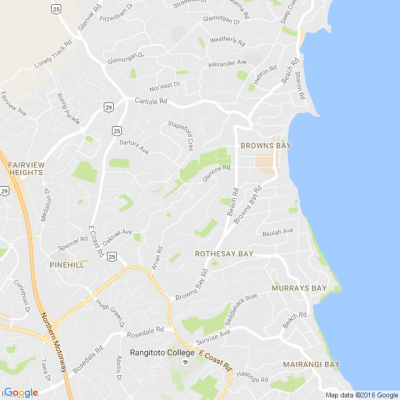
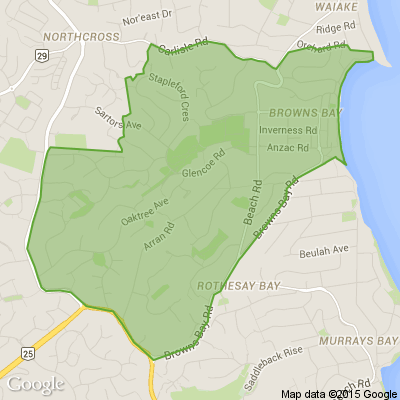
I am based in Browns Bay and training will take place in a comfortable homely environment in a classroom style set up to optimise training once we are able to have meetings again. Notes will be provided of each session to take home.
This course will run weekly and is $20 + Gst a lesson and anyone can stop and join at any time. As mentioned above the first lesson is free. There is no need to pay for a full course only pay for the day you attend. Once you have completed the course in full, you will be presented with a certificate of completion of Technology - The Basics. A nice to have if you want to venture to start working again or to show your friends your accomplishment.
This will run during the day on a weekly basis for 1.15mins. If you are interested or would like to sign up a relative, contact me on email: Gavin.tipping@outlook.com
Gavin Tipping
021 0272 0640

Share your favourite main crop potato recipe and win a copy of our mag!
Love potatoes? We will give away free copies of the May 2026 issue to readers whose potato recipes are used in our magazine. To be in the running, make sure you email your family's favourite way to enjoy potatoes: mailbox@nzgardener.co.nz, by March 1, 2026.


🧩😏 Riddle me this, Neighbours…
I am an odd number. Take away a letter and I become even. What number am I?
Do you think you know the answer?
Want to stop seeing these in your newsfeed? No worries! Simply head here and click once on the Following button.

Scam Alert: Bank cold calls
ASB is warning customers about reports of cold calls from scammers claiming to be from ASB. These scammers are trying to obtain personal information, including usernames, dates of birth, and verification codes sent to your mobile phone.
🛡️ The "Caller Check" Test
If you get a call from someone claiming to be from ASB and you’re unsure, just ask them for a Caller Check. You will then be able to verify the call through the app.
Remember, banks will:
❌ Never ask for your banking passwords, PINs, or verification codes
❌ Never need to know your full credit card number – especially the CVC
❌ Never ask you to download software or remotely access your device
❌ Never ask you to purchase gift cards or transfer funds.
If you have received a phone call and think your account has been compromised, call ASB on 0800 ASB FRAUD (0800 272 372), or visit your local branch.
 Loading…